Guest post by Helga Moreno from Spacebring, a coworking space management platform for superior member service.
Suppose you ask a member how everything went as they leave your space. They say, “Good, thanks.” There’s a train to catch or another call in five minutes, so you leave it there.
You may have a good relationship with that member and still know very little about how their afternoon went. Did they find what they needed? Did they spend ten minutes looking for an adapter? Was there something they wanted to ask but didn’t?
You can’t follow everyone around finding out. You probably wouldn’t want to.
But you can give members a few more opportunities to tell you, without asking them to complete another long survey. AI can help you prepare those questions and handle some of the follow-up. The useful work starts with choosing what to ask.
Make the question small enough to answer
Take a meeting-room booking. Rather than asking about the member’s overall satisfaction, try:
Did the room have what you needed today? Anything we should fix or make clearer?
A reply to an inbox your team checks is enough. If you prefer a form, keep it short and leave space for a comment. A rating alone won’t explain whether the problem was noise, the screen, or not knowing where the light switch was.
You can ask AI for a few versions of the invitation. Give it the situation and a sample of how your team normally writes. Choose the wording you would actually send. “We value your feedback” can usually go; the question already tells people that you’re asking.
This works beyond bookings. After an event, you might ask what would make the next one worth coming to. After a first visit, ask whether there was anything they had to figure out on their own.
Those questions serve different purposes. Keep them separate rather than turning every check-in into a survey about the whole space.
Try it yourself before giving it to an agent
Send a few invitations manually. See whether people answer and whether the replies help you understand anything you can improve.
Once you’re happy with the process, an AI agent can help repeat it, if your tools support the relevant trigger and messaging connection. For a booking follow-up, define which rooms and bookings qualify, what message to send, and where the answers should go. Exclude internal bookings. Test with staff before sending to members.
Think about frequency, too. A member who uses a room every day doesn’t need a daily request for feedback. Set a contact limit if your system can check previous invitations; otherwise, keep the sample manageable yourself.
Sending the question and collecting the answers are separate jobs. If you use a form, the agent may need a supported connection to read responses, or you may need to supply an export. Check that before building a process around automatic summaries.
Some feedback is already waiting for you
Before adding more questions, look at what members have already asked.
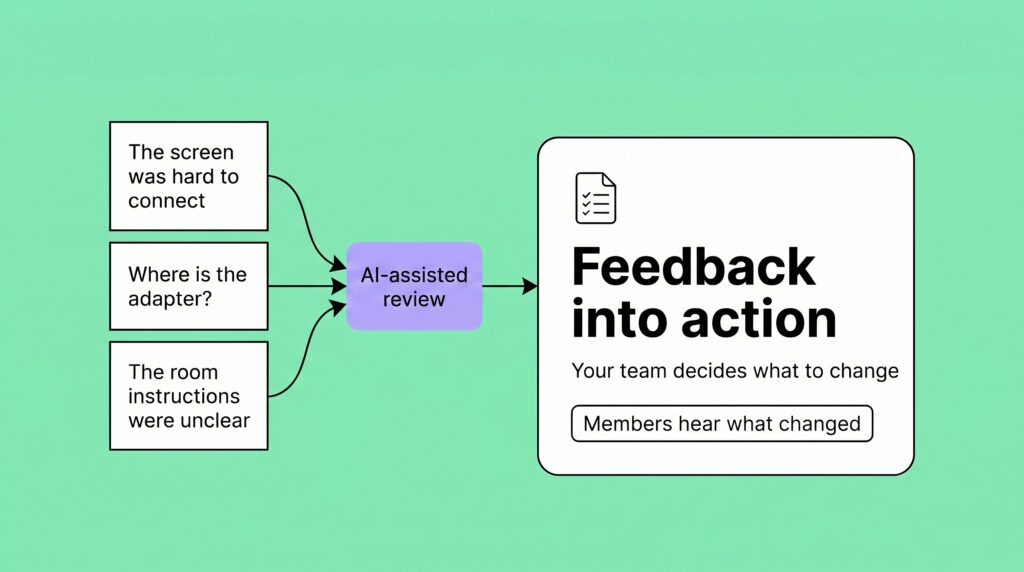
If your AI support agent has explained the screen connection six times, that’s worth a look. It might be answering each person perfectly well. You could still make everyone’s next meeting easier by putting clearer instructions beside the screen.
Spacebring’s built-in AI agent can answer member questions using your location guides and past resolved support requests. But answering a question and removing the reason people keep asking it are different jobs. Your team still needs to decide when the guide—or the room itself—needs to change.
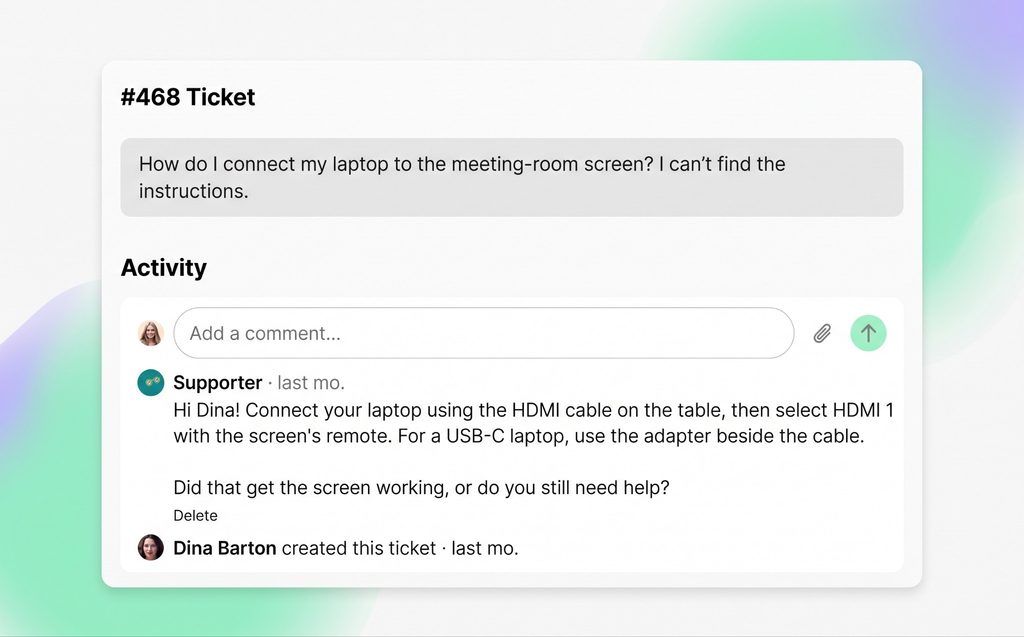
Spacebring’s AI support agent helps a member connect to a meeting-room screen. Illustrative conversation.
For support records you’re authorized to use, ask:
Which questions keep coming up? Show me the original messages, and separate what members said from possible explanations. Don’t assume a reply means the problem was solved.
A support request marked resolved is a reasonable moment to offer a short check-in: “Did that get things sorted?” It isn’t proof that the member is happy. Someone on your team should pick up the conversation if the answer is no.
Member emails and public reviews may also help you spot issues to investigate. Keep track of where each comment came from. A review, a support conversation, and a survey response aren’t interchangeable, and they don’t represent everyone in your space.
There’s a boundary here: private community conversations aren’t an invitation to monitor members. Use material you have permission to review, explain how it will be used, and remove unnecessary personal details before sharing it with an approved AI tool.
Ask how members are settling in
A room can work beautifully while a member still feels out of place.
Once someone has had time to settle in, ask how they’re getting on. “Have you found someone to ask when you need help?” gives you something different from another question about the facilities.
For community activities, try: “Is there something you’d like to join but haven’t? What would make it easier?” That leaves room for answers about timing, not knowing anyone, or simply not being interested. Don’t assume that every member wants the same kind of involvement.
A periodic survey can explore these wider experiences. Use AI to help shorten it and spot questions that steer people toward praise. Keep a few questions consistent if you want to compare responses over time, noting that different people may answer each time.
Between check-ins, keep a suggestion form or monitored inbox available. Explain whether it’s anonymous and whether people can expect a reply. When someone leaves, offer an optional “What influenced your decision?” without turning their answer into a sales follow-up.
Some answers deserve a conversation. If a member says they don’t feel included, ask whether they’d like to talk. You can prepare questions with AI, but let their answers guide you. Get informed permission before recording or sharing notes with an AI tool.
Check the original comments
With a handful of replies, you can read everything yourself. As the volume grows, AI can help you find recurring themes:
Group these comments by issue. Count distinct respondents and include references to the original responses. Keep serious concerns visible even if only one person mentions them. Flag anything unclear rather than guessing.
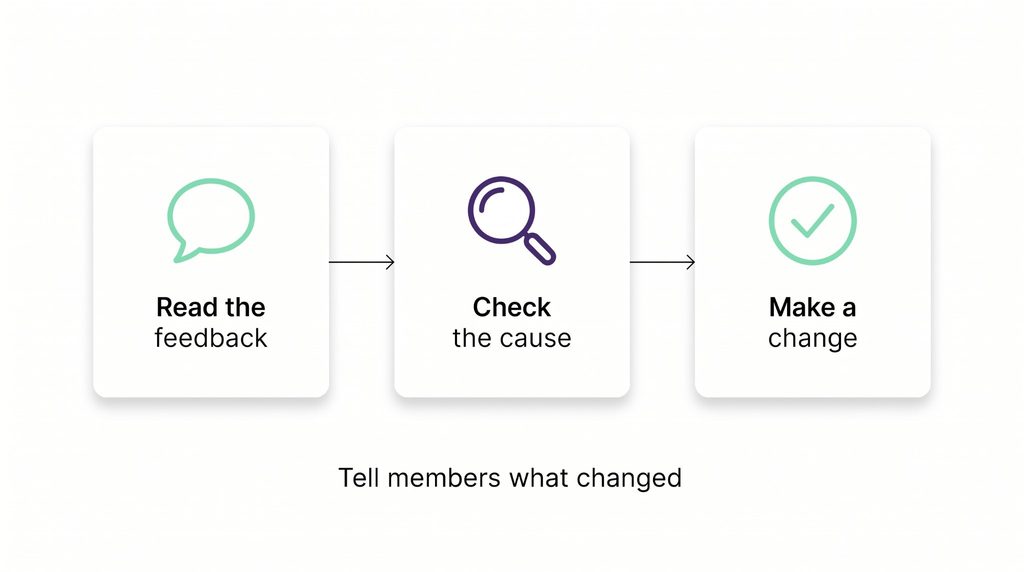
Then go back to the comments behind the summary.
“Meeting-room problems” could mean a missing adapter, confusing instructions, or equipment that doesn’t work. You’d respond differently to each. A concern about accessibility or safety needs attention even if it appears only once; frequency isn’t the only reason to act.
Choose something your team can investigate. Try the room setup yourselves. Ask a follow-up question where you need one. Give someone responsibility for the next step rather than leaving a list of themes for everybody to remember.
Tell people what happened
If you find a step missing from the room guide and add it, write back:
Thanks for pointing this out. We checked the setup and found a step missing from the instructions. We’ve added it. Please let us know how you get on next time.
For a change that affects other members, share a brief update in your community feed. AI can help with the draft, but check that the work is done and don’t include identifiable comments without permission.
You won’t be able to make every change people ask for. Explain the constraint when you can. Asking for someone’s opinion and then saying nothing leaves them with no way to know whether you considered it.
You don’t need all of these approaches running at once. Start with one experience you want to understand and enough time to respond to what you hear. Once that’s working, add another.
The next time someone tells you the meeting room was fine, you may have a useful follow-up: “How did you get on with the screen?” And if they tell you it was a struggle, you’ll have somewhere to start.
Spacebring Intelligence helps coworking teams answer member questions and handle routine work, leaving more time for personal follow-up. You choose what agents can access and review what they’ve done.